
Gentle Neck and Back Stretches for Pain Relief at Home
by Princeton Orthopaedic Associates
Gentle Neck and Back Stretches You Can Do At Home
If your neck or back feels tight, daily tasks like work, sleep, and exercise can become more difficult. This simple guide offers safe stretches to ease stiffness, improve posture, and help you move more comfortably. You'll learn when to stretch, how long to hold each stretch, and when it might be time to consult a clinician or physical therapist.
Before You Start: Safe Stretching Basics
Move slowly and stay in a comfortable stretch, not in pain. You should feel gentle tension that eases with steady breathing.
Hold most stretches 15 to 30 seconds, repeat 2 to 4 times per side, once or twice daily.
Stop and contact a clinician if you notice numbness, tingling, weakness, or pain that spreads into an arm or leg.
If you have osteoporosis, a recent injury, surgery, or active sciatica, ask your doctor or physical therapist which movements are best for you.
A Quick Daily Routine
Warm up with a short walk around the room for 1 to 2 minutes.
Do the neck sequence below, then the back sequence.
Finish with 3 slow breaths, in through your nose and out through your mouth, to help muscles relax.
Neck Stretches
These movements target common areas of tightness that can contribute to neck pain, tension headaches, and poor posture.
1) Chin Tucks
Sit or stand tall. Gently draw your chin straight back, as if making a small double chin. Keep your eyes level.
Hold 3 to 5 seconds, relax. Repeat 8 to 10 times.
Helps strengthen the deep neck flexors and counters forward head posture.
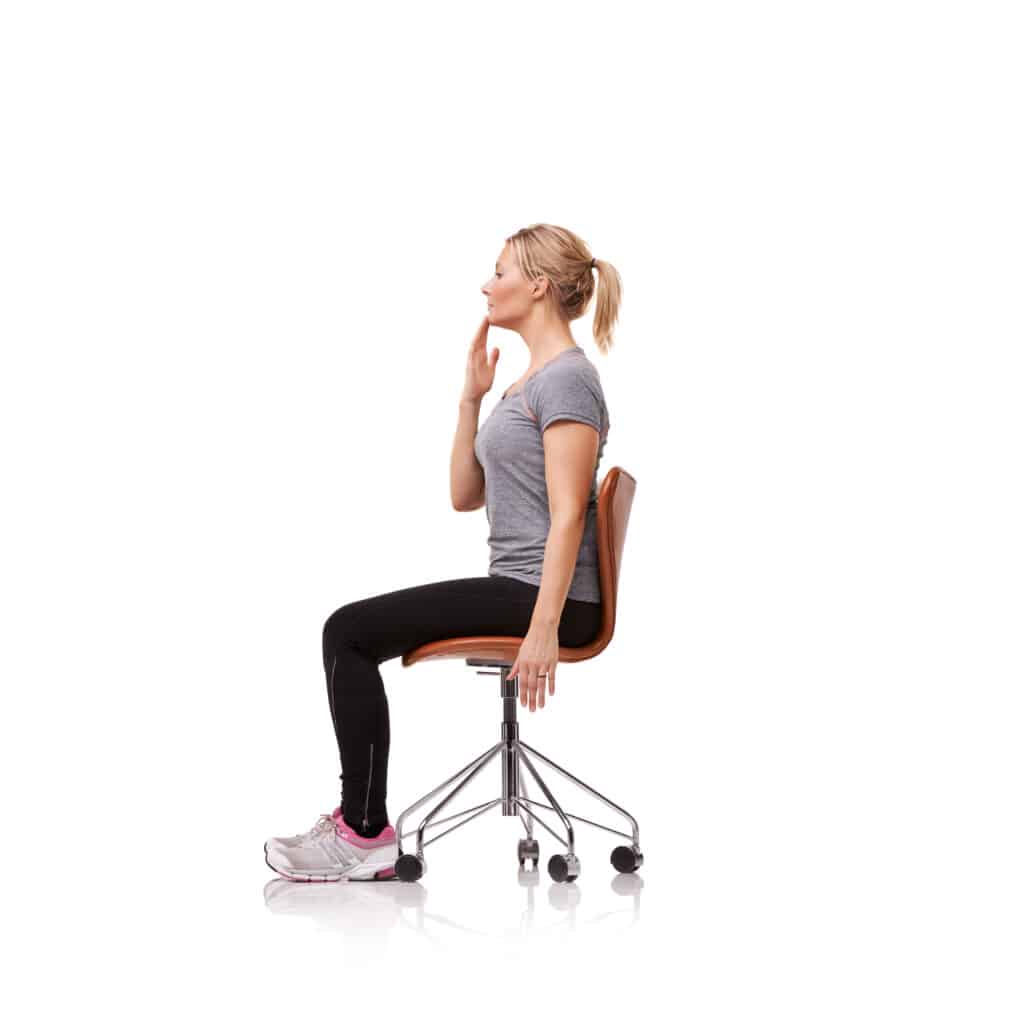
2) Upper Trapezius Stretch
Sit tall and hold the edge of your chair with your right hand. Tilt your left ear toward your left shoulder to feel a stretch on the right side of your neck.
Option: Rest your left hand lightly on the right side of your head for a gentle assist. Avoid pulling.
Hold 15 to 30 seconds, repeat 2 to 4 times each side.
3) Levator Scapulae Stretch
Turn your head about 45 degrees to the left, then tuck your chin toward your left armpit.
Place your left hand lightly on the back of your head to guide the stretch. You should feel it along the back and side of the neck.
Hold 15 to 30 seconds, repeat 2 to 4 times each side.
4) Doorway Chest Stretch
Tight chest muscles can pull the shoulders forward, which can increase neck strain.
Stand in a doorway with your forearms on the doorframe and elbows at shoulder height.
Step one foot forward and gently shift your weight until you feel a stretch across the chest and front of the shoulders.
Hold 15 to 30 seconds, repeat 2 to 3 times.
Back Stretches
These stretches focus on the upper and lower back, hips, and the muscles that support your spine.
1) Cat‑Cow Mobility
Start on hands and knees. Inhale as you gently let your belly lower and lift your chest. Exhale as you round your back and tuck your chin.
Move slowly through 8 to 12 repetitions.
2) Child’s Pose
From hands and knees, sit your hips back toward your heels and reach your arms forward.
Relax your shoulders and breathe into your sides and lower back.
Hold 20 to 30 seconds, repeat 2 to 3 times.
3) Single Knee‑to‑Chest
Lie on your back with knees bent. Bring one knee toward your chest, hands on the shin or behind the thigh.
Hold 15 to 30 seconds, then switch. Repeat 2 to 4 times each side.
4) Lower Trunk Rotations
Lie on your back with knees bent and feet flat. Gently let both knees fall to one side while keeping your shoulders on the floor.
Hold 10 to 20 seconds, then switch sides. Repeat 5 to 10 times total.
5) Prone Press‑Ups
The prone press up can help ease stiffness in the lower back for some people. If you feel more pain in your legs, numbness, tingling, or a change in how your legs or feet feel during the move, stop right away. Do not push through nerve symptoms, and talk with your clinician before trying again.
Lie on your stomach and prop up on your elbows, letting your low back relax.
Option: Press into your hands to raise your chest a bit higher if comfortable. Keep hips on the floor.
Hold 5 to 10 seconds, repeat 8 to 10 times.
6) Hamstring Stretch
Lie on your back. Loop a towel or strap around one foot and gently straighten the knee toward the ceiling until you feel a stretch in the back of the thigh.
Keep the other leg bent for comfort. Hold 15 to 30 seconds, switch sides, repeat 2 to 3 times.
7) Figure‑4 Hip Stretch
Lie on your back, cross your right ankle over your left knee. Lift the left leg and hold behind the thigh.
Feel the stretch in the right hip or buttock. Hold 15 to 30 seconds, switch sides, repeat 2 to 3 times.
How Often Should You Stretch?
Doing stretches regularly matters more than doing long, hard sessions. If you practice a little every day, you are more likely to keep your joints flexible and your back strong. Use the chart below to plan how often you stretch, how long to hold each stretch, and how many times to repeat.
Goal
Frequency
Hold Time
Repetitions
Ease stiffness
Daily or 5 days per week
15 to 30 seconds
2 to 4 per side
Posture support
Daily micro‑breaks
5 to 10 seconds for resets
Little and often throughout the day
Warm up
Before activity
Gentle, shorter holds
8 to 10 easy reps of mobility moves
Ergonomic Habits That Help
Set a reminder to stand and move for 1 to 2 minutes every 30 to 60 minutes.
Keep screens at eye level and your keyboard close so your shoulders stay relaxed.
Use a supportive chair, and place feet flat on the floor or on a small footrest.
Choose a pillow height that keeps your neck in a neutral position.
When To Contact Princeton Orthopaedic Associates
If your pain lasts more than a week or two despite trying home care, or if it wakes you at night or keeps you from daily tasks, you should seek an evaluation. Call if you notice numbness, tingling, weakness, or new changes in bowel or bladder control, as these need urgent attention.
Pain lasts more than 1 to 2 weeks despite home care.
Pain wakes you at night or limits daily tasks.
You notice numbness, tingling, or weakness in an arm or leg.
Pain began after a fall or accident.
There are changes in bowel or bladder control. This is urgent and needs immediate care.
Our team can diagnose the source of pain, tailor a stretching and strengthening plan, and coordinate physical therapy when needed.
Next Step
If your neck or back pain keeps returning, a personalized plan usually helps most. Schedule an exam with Princeton Orthopaedic Associates so we can identify what is driving your symptoms and guide you through the right exercises for long‑term relief.
This blog post is meant to be informative and should not act as a self-diagnosis tool. If you’d like to see one of our doctors, please contact us here.
Sequence rules uses cookies to track the order of requests a user has made and the time between requests and makes them available via Cloudflare Rules. This allows you to write rules that match valid or invalid sequences. The specific cookies used to validate sequences are called sequence cookies.
session
cf_ob_info
The cf_ob_info cookie provides information on: The HTTP Status Code returned by the origin web server. The Ray ID of the original failed request. The data center serving the traffic
session
cf_use_ob
The cf_use_ob cookie informs Cloudflare to fetch the requested resource from the Always Online cache on the designated port. Applicable values are: 0, 80, and 443. The cf_ob_info and cf_use_ob cookies are persistent cookies that expire after 30 seconds.
session
__cfwaitingroom
The __cfwaitingroom cookie is only used to track visitors that access a waiting room enabled host and path combination for a zone. Visitors using a browser that does not accept cookies cannot visit the host and path combination while the waiting room is active.
session
cf_chl_rc_i
These cookies are for internal use which allows Cloudflare to identify production issues on clients.
session
cf_chl_rc_ni
These cookies are for internal use which allows Cloudflare to identify production issues on clients.
session
cf_chl_rc_m
These cookies are for internal use which allows Cloudflare to identify production issues on clients.
session
__cfruid
Used by the content network, Cloudflare, to identify trusted web traffic.
session
__cf_bm
Cloudflare's bot products identify and mitigate automated traffic to protect your site from bad bots. Cloudflare places the __cf_bm cookie on End User devices that access Customer sites that are protected by Bot Management or Bot Fight Mode. The __cf_bm cookie is necessary for the proper functioning of these bot solutions.
session
__cflb
When enabling session affinity with Cloudflare Load Balancer, Cloudflare sets a __cflb cookie with a unique value on the first response to the requesting client. Cloudflare routes future requests to the same origin, optimizing network resource usage. In the event of a failover, Cloudflare sets a new __cflb cookie to direct future requests to the failover pool.
session
_cfuvid
The _cfuvid cookie is only set when a site uses this option in a Rate Limiting Rule, and is only used to allow the Cloudflare WAF to distinguish individual users who share the same IP address.
session
cf_clearance
Whether a CAPTCHA or Javascript challenge has been solved.
session
Google reCAPTCHA helps protect websites from spam and abuse by verifying user interactions through challenges.
Name
Description
Duration
_GRECAPTCHA
Google reCAPTCHA sets a necessary cookie (_GRECAPTCHA) when executed for the purpose of providing its risk analysis.
179 days
Google Tag Manager simplifies the management of marketing tags on your website without code changes.
Name
Description
Duration
cookiePreferences
Registers cookie preferences of a user
2 years
td
Registers statistical data on users' behaviour on the website. Used for internal analytics by the website operator.
session
These cookies are used for managing login functionality on this website.
Name
Description
Duration
wordpress_logged_in
Used to store logged-in users.
Persistent
wordpress_sec
Used to track the user across multiple sessions.
15 days
wordpress_test_cookie
Used to determine if cookies are enabled.
Session
WPForms is a user-friendly WordPress plugin for creating custom forms with drag-and-drop functionality.
Name
Description
Duration
wpfuuid
Used to track user interactions with forms.
11 years
Statistics cookies collect information anonymously. This information helps us understand how visitors use our website.
Google Analytics is a powerful tool that tracks and analyzes website traffic for informed marketing decisions.
Used to distinguish new sessions and visits. This cookie is set when the GA.js javascript library is loaded and there is no existing __utmb cookie. The cookie is updated every time data is sent to the Google Analytics server.
30 minutes after last activity
__utmc
Used only with old Urchin versions of Google Analytics and not with GA.js. Was used to distinguish between new sessions and visits at the end of a session.
End of session (browser)
__utmz
Contains information about the traffic source or campaign that directed user to the website. The cookie is set when the GA.js javascript is loaded and updated when data is sent to the Google Anaytics server
6 months after last activity
__utmv
Contains custom information set by the web developer via the _setCustomVar method in Google Analytics. This cookie is updated every time new data is sent to the Google Analytics server.
2 years after last activity
__utmx
Used to determine whether a user is included in an A / B or Multivariate test.
18 months
_ga
ID used to identify users
2 years
_gali
Used by Google Analytics to determine which links on a page are being clicked
30 seconds
_ga_
ID used to identify users
2 years
_gid
ID used to identify users for 24 hours after last activity
24 hours
_gat
Used to monitor number of Google Analytics server requests when using Google Tag Manager
1 minute
_gac_
Contains information related to marketing campaigns of the user. These are shared with Google AdWords / Google Ads when the Google Ads and Google Analytics accounts are linked together.
90 days
__utma
ID used to identify users and sessions
2 years after last activity
__utmt
Used to monitor number of Google Analytics server requests
10 minutes
These cookies help us measure the effectiveness of our website content and understand how visitors find and use our site. This allows us to improve the experience and provide more helpful resources.
Facebook Pixel is a web analytics service that tracks and reports website traffic.